Be the Light Christian SVG Cut File: What to Avoid and How to Use It Well
If you create faith-based crafts, sell Christian themed products, or enjoy making gifts with your cutting machine, you have likely come across designs labeled Be the Light Christian SVG Cut File. The phrase carries a clear biblical echo, and the design itself often appeals to those who want their work to reflect something deeper than decoration. Yet many people download, buy, or use these files without thinking through a few critical details. The result can be wasted materials, poor presentation, or even frustration when the cut does not come out as expected. Let us walk through the most important things to check before you commit to a file and how to avoid the mistakes that trip up even experienced crafters.
What the Be the Light Christian SVG Cut File Really Is
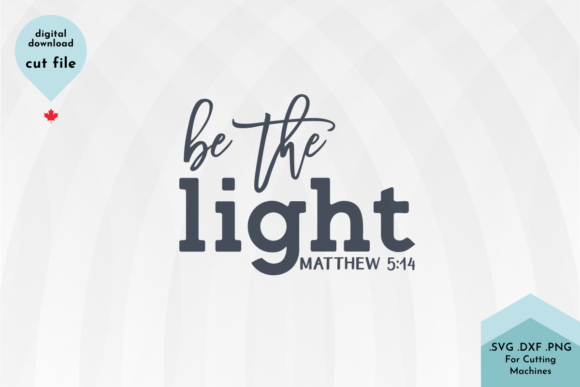
At its simplest, an SVG file is a vector image that scales cleanly for cutting machines like Cricut, Silhouette, or Brother ScanNCut. A Be the Light Christian SVG cut file typically features the words "Be the Light" in a stylized arrangement, often combined with crosses, stars, sun rays, or other symbolic elements. Some designs are minimalist with clean modern lettering; others lean into ornate or rustic styles. What sets it apart from generic "be the light" files is the intentional Christian framing, whether through Scripture references, cross imagery, or a tone meant to resonate with believers.
People reach for these files for a variety of reasons. Some want to make T-shirts for church groups. Others create wall art for home or sell handcrafted items at markets. Many use them for greeting cards, mugs, or gifts meant to encourage someone going through a hard time. The emotional and spiritual weight of the message makes the design appealing, but that same weight can backfire if the execution feels cheap, unbalanced, or poorly chosen.
Mistake One: Assuming All Be the Light Files Are the Same
A common mistake is treating every Be the Light Christian SVG cut file as interchangeable. That could not be further from the truth. The differences in line thickness, spacing, layer complexity, and compatibility with your machine can determine whether your project takes twenty minutes or two hours.
Consider two examples. One file uses a single, continuous outline for the entire phrase, making it ideal for layered vinyl or a simple single color cut. Another file breaks the text into multiple separate pieces that need to be aligned after cutting. If you assume they behave the same way, you might end up with misaligned letters or wasted transfer tape.
What to do instead: Always preview the SVG file in your design software before cutting. Look at how the shapes are constructed. Check whether the text is fully connected or if there are small floating elements that could move during weeding. If the file comes from a marketplace like Etsy or Creative Market, read the description carefully. Many sellers note whether the design is intended for layered, single color, or print then cut projects. That information saves time and frustration.
Mistake Two: Ignoring File Format and Software Compatibility
A Be the Light Christian SVG cut file is only useful if your software reads it correctly. People often download an SVG assuming it will open perfectly in Cricut Design Space or Silhouette Studio, only to find missing elements, distorted text, or layers that refuse to separate.
This problem usually happens when the file was created in a different vector program and exported without proper cleanup. Some designers use complex gradients, effects, or embedded fonts that do not translate well into cutting software. The result looks fine on screen but fails when you try to cut.
How to avoid it: If you are new to SVG files, stick with sellers who show clear screenshots of the design opened in Cricut or Silhouette software. Look for files that specify "tested in Design Space" or "works with Silhouette Studio Basic Edition." If you are more experienced, consider opening the file in a free vector editor like Inkscape first to inspect and simplify the paths. For a design like Be the Light Christian SVG, you want clean, closed paths that cut smoothly without extra nodes that cause the blade to stutter.
Mistake Three: Overlooking Font Choice and Readability
The words "Be the Light" carry meaning, and the font you choose affects how that meaning lands. A common mistake is selecting a file with a font that looks stylish on screen but becomes difficult to read once cut, especially at smaller sizes. Ornate script fonts with thin strokes can lose definition when cut from vinyl or cardstock, and elaborate serif fonts may cause letters to fill in or lose detail during weeding.
This is not just an aesthetic issue. If you are selling items or giving them as gifts, a design that is hard to read undermines the message. People should not have to squint or guess what the text says.
Better approach: Choose a Be the Light Christian SVG cut file where the lettering uses moderate stroke widths and clear spacing. Sans serif, modern script with consistent thickness, or simple serif fonts tend to cut and weed most reliably. If you love a particular file but the font looks delicate, test it at your intended final size before cutting a full project. Cut a small sample on scrap material first. That quick test can save you from ruining expensive vinyl or HTV.
Mistake Four: Forgetting the Design Layout for Your Project Surface
A Be the Light Christian SVG cut file might be beautifully designed for a wide horizontal space, but that same layout can look cramped on a mug, awkward on a T shirt, or misaligned on a wooden sign. People often pick a file based on the preview image without considering how the proportions will transfer to their actual project.
Realistic example: A tall vertical design might work perfectly for a notebook or a tote bag but looks out of place on a standard sized coffee mug where the design needs to wrap slightly. Similarly, a very wide design might exceed the print area of a small card or the press area of a heat press.
What will help: Before you buy or use any file, measure your project surface. Open the SVG in your software and resize it to fit those dimensions. Check if the design allows for resizing without loss of quality (SVGs are vector based, so scaling is fine, but extremely small text might become unreadable when scaled down). If you plan to layer multiple colors, confirm that the design pieces align at the reduced size. A design that looks spacious at 10 inches wide might become crowded and messy at 4 inches wide.
Mistake Five: Overcomplicating with Too Many Layers
Some Be the Light Christian SVG cut files include multiple intricate layers: a cross behind the text, a sunburst effect, stars, and a decorative border. While elaborate designs can be beautiful, they also increase the chance of alignment errors, material waste, and assembly time. Beginners especially tend to underestimate how tricky it is to layer five or six pieces of vinyl or cardstock precisely.
When this becomes a problem: If you are crafting for a group event like a youth group retreat and need to make thirty shirts, a six layer design multiplies your work by six. The quality often drops as you rush through layers, and one misaligned piece can ruin the whole shirt.
Simpler is often better: For most projects, a two layer or three layer design of the Be the Light Christian SVG cut file provides plenty of visual impact. The message itself is strong, and a clean, uncluttered design lets the words stand out. If you want complexity, reserve multi layer designs for one off gifts or display pieces where you can take your time. For production work or bulk projects, stick with simpler cuts.
Mistake Six: Not Checking the License Before Using Commercially
Many people download a Be the Light Christian SVG cut file and start selling items without reading the license agreement. Some sellers allow unlimited commercial use. Others require attribution, limit the number of items you can produce, or prohibit use on print on demand platforms. This mistake can lead to copyright issues, listings being removed, or worse, legal notices.
Why it matters: The Christian crafting community is built on trust and integrity. Using a file in a way that violates the designer's terms undermines that trust and can damage your reputation if customers notice your designs look identical to someone else's.
Simple fix: Before purchasing, check the shop's license policy. If it is not clearly stated, message the seller and ask. Keep a record of the license for each file you use commercially. If you buy from a site like Design Bundles or Creative Fabrica, read the standard licensing terms. For a file like Be the Light Christian SVG, you may want to choose a designer who explicitly allows commercial use with no restrictions so you can sell your finished items worry free.
Mistake Seven: Rushing the Weeding and Transfer Process
Even a well made Be the Light Christian SVG cut file can produce poor results if you rush the weeding and transfer steps. Small details like the dot on an "i" or the thin part of a letter can lift off the backing paper if you pull too fast or use a dull tool. The word "Light" often includes thin horizontal strokes in serif fonts, which are easy to tear or stretch.
Better technique: Work slowly and use good lighting. Weed from a 45 degree angle and pull back over itself rather than lifting straight up. When applying transfer tape, burnish firmly but not aggressively, and peel the backing at a low angle. If your design has intricate sections, consider using a strong grip transfer tape designed for detailed vinyl work. These small adjustments make the difference between a design that looks professional and one that looks like a rushed craft project.
What to Check Before You Buy a Be the Light Christian SVG Cut File
Before you click purchase or download, run through this quick checklist. It takes less than a minute but will save you time and materials.
- Read the description fully. Look for mentions of layers, recommended materials, tested software, and commercial use terms.
- Look at customer reviews. If other buyers mention issues with cutting, alignment, or file quality, take that seriously.
- Check the preview images. Does the design include hidden elements or extra spacing you need to adjust? Are the colors shown just mockups or actual cut layers?
- Verify your software compatibility. If you are using Cricut Design Space, confirm the file works there. The same applies for Silhouette, Brother, or other machines.
- Think about your skill level. If you are new to SVG files, choose a design labeled "beginner friendly" that uses simple shapes and limited layers.
Final Thoughts on Using the Be the Light Christian SVG Cut File Well
The Be the Light Christian SVG cut file offers a meaningful design that resonates with many people. When you choose wisely, check technical details, and work patiently, you can create items that genuinely encourage others and reflect your care for quality. The message deserves a presentation that matches its weight, and that starts with avoiding the common mistakes that turn a good design into a frustrating experience.
Take the time to preview files, test cuts, and read licenses. Work within your skill level and scale. The right file, used well, will serve you for many projects and allow you to share the message in a way that feels both beautiful and authentic.