Christian Sign SVG: How to Choose, Use, and Avoid Costly File Mistakes
A Christian sign SVG is more than just a digital image. It is a blueprint for creation, offering you the ability to scale a simple cross into a towering church banner or shrink an intricate Ichthys down to a tiny social media icon without losing a shred of quality. That is the promise of vector graphics.
But that promise only holds true when you work with a properly constructed file. Too often, enthusiasm for a project leads to shortcuts. People download the first free Christian SVG they encounter, upload it to their cutting machine software or website, and immediately run into problems: jagged edges, wrong cuts, licensing conflicts, or files that simply refuse to work.
The good news is that these problems are almost always avoidable. Once you understand a few core principles about file structure, source quality, and practical application, you can save time, money, and frustration. Let’s walk through the most common mistakes and how to sidestep them entirely.
Why SVG Is the Right Format for Christian Signage
The first and most fundamental mistake is treating an SVG like any other image format. A JPEG or PNG is built from a grid of pixels. Enlarge it too much, and you see the individual squares. That pixelation looks unprofessional on a large print or a church backdrop.
An SVG, on the other hand, is built from mathematical paths. This makes it resolution-independent. That cross outline you download can be stretched to fit a small app icon or a ten-foot banner, and it will remain perfectly sharp every time. For Cricut and Silhouette users, this is non-negotiable. Trying to cut a complex shape from a JPEG forces the software to guess where the edges are, leading to messy results. A true SVG cuts cleanly and quickly.
Watch out for the raster trap. Some files labeled as SVG are actually raster images wrapped in an SVG container. You can check this easily. Open the file in a text editor. If you see code starting with and containing path data, it is a real vector. If you see a long string of random letters or embedded image data, it is likely a fake SVG. Always verify before you buy or download.
The Hidden Rot in So-Called Free SVGs
Free Christian SVG files are everywhere. Some are excellent. Many are problematic in ways that are not obvious at first glance.
Licensing Confusion
The most overlooked detail in the entire faith-based design space is licensing. A beautiful free download often comes with restrictions. Many are labeled "personal use only." This means you can use them for yourself or as gifts, but you cannot use them in products you sell. Your church fundraiser t-shirts, your print-on-demand shop, or your client's website all fall under commercial use.
Ignoring this can lead to uncomfortable legal notices or demands for payment. It also hurts independent Christian artists who rely on their craft for income. Before you download, look for explicit terms. If the license is unclear, message the creator or find a trusted source that clearly offers commercial rights. A small investment in a properly licensed file protects your project and supports the community.
Poor Path Integrity
This is the number one frustration for crafters. You load a beautiful Christian SVG into your design software, hit cut, and the machine cuts stray lines, fails to cut inner pieces, or leaves open gaps in the design.
What happened? The file likely has open paths, overlapping duplicate lines, or an excessive number of nodes. Many free SVGs are auto-traced from low-resolution images and come out messy.
The fix is simple. Take five minutes to open the file in a free vector editor like Inkscape. Use the "Path > Simplify" command to reduce node clutter. Use "Path > Union" to combine overlapping shapes into a single, clean outline. This quick audit prevents wasted vinyl, wasted time, and a whole lot of frustration.
Reading the Design: What Makes a Good Christian SVG?
A thumbnail can be deceiving. A generic cross SVG might look acceptable in a tiny preview, but upon closer inspection, the lines are uneven, the proportions are off, or the symbolism is inaccurate. When you are working on something as meaningful as a church sign or a baptism invitation, the details matter.
Aesthetic and Theological Accuracy
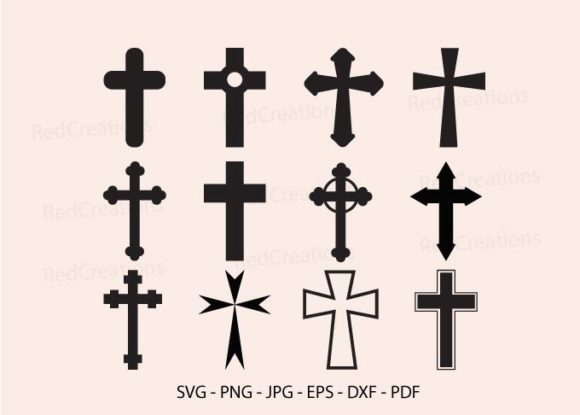
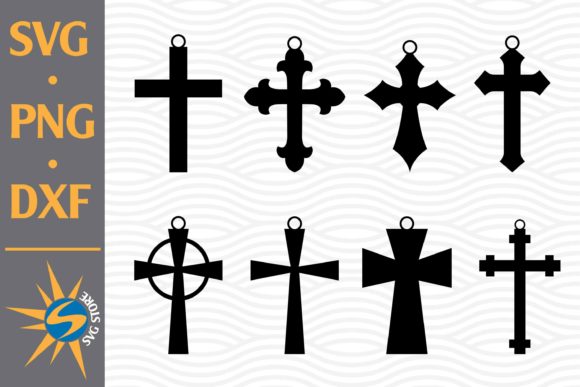
Different traditions use different symbols. A Latin cross is distinct from a Celtic cross, an Orthodox cross, or a simple Ichthys. A poorly drawn Chi-Rho can look clunky and misshapen. Before you commit to a file, zoom in. Look at the curves. Check the symmetry. If you are designing for a specific denomination, ensure the iconography matches their heritage.
Reputable Christian design studios and experienced Etsy sellers take care to get these details right. They understand that a cross is not just a shape, it is a symbol with deep meaning. Investing in well-crafted vector art ensures your final product communicates the respect and dignity the subject deserves.
Code Quality Matters for Web Use
If you are a blogger, church media director, or website owner, the quality of the SVG code affects your site performance. A sloppy SVG can be bloated with unnecessary metadata, embedded fonts, and redundant paths. This slows down your page load speed.
Use a tool like SVGO or a simple online minifier to clean the code. You can often reduce file size by fifty percent or more with no visible loss of quality. This small step keeps your site fast and your search rankings healthy.
Matching the SVG to Your Medium
A mistake I see often is using the wrong style of Christian sign SVG for the intended application. The file that works beautifully for a web icon may be too simple for a large wooden sign. Conversely, an intricate layered SVG designed for a detailed print may be impossible to weed as a small vinyl decal.
For Cutting Machines
Stick to clean, well-spaced designs. Single-layer SVGs are easiest for beginners. If you want multi-color designs, look for files that come with separated layers or a cut file specifically optimized for the material. Always do a test cut on scrap material before cutting into your expensive holographic or glitter vinyl.
For Large Format Printing
You can use more detail, but make sure the SVG is built at a reasonable scale. A file designed for a business card may look fine on screen but contain paths too small for a large print. Scale it up in your design software and inspect the lines. If anything looks too thin, consider a different file or simplifying the design.
For Digital Use
Simplicity often wins. A clean, recognizable icon loads fast and scales well on different devices. Avoid files with excessive drop shadows, gradients, or embedded raster effects if you need a pure vector for web use.
Building a Reliable Christian SVG Workflow
Stop settling for the first result you find online. Build a system that ensures quality from the start.
Source wisely. Bookmark reputable shops with high ratings and proven track records. Look for designers who specialize in faith-based vector art and clearly state their licensing terms. A good designer will also offer support if you have questions about the file.
Learn basic file auditing. Spend a little time understanding how to open an SVG in Inkscape or Illustrator. Learn how to check for open paths and combine overlapping shapes. This single skill will save you more time and money than any other.
Know your output. Understand what your cutting machine, printer, or web platform needs. A Cricut requires different file preparation than a commercial print shop. If you are unsure, ask the seller before you buy. Most experienced sellers are happy to help you choose the right file for your project.
Respect the creator. Christian SVG artists are often small business owners themselves. Fair pricing reflects the time, skill, and care that goes into designing accurate, usable vector art. When you pay for a proper license, you gain peace of mind and the freedom to use the design without worrying about hidden restrictions.
Whether you are designing for a Sunday service, a small group, a business, or your own home, the quality of your Christian sign SVG affects your message, your material costs, and your timeline. By choosing reputable sources, auditing your files, respecting creator licenses, and optimizing for your specific medium, you set your project up for success. Take the small extra effort upfront. Your ministry, your craft, and your creativity deserve it.